 SameFont
Update a Menu or Sign Price in a Photo
Replace prices and short labels on a photographed menu or sign while preserving the surrounding layout.
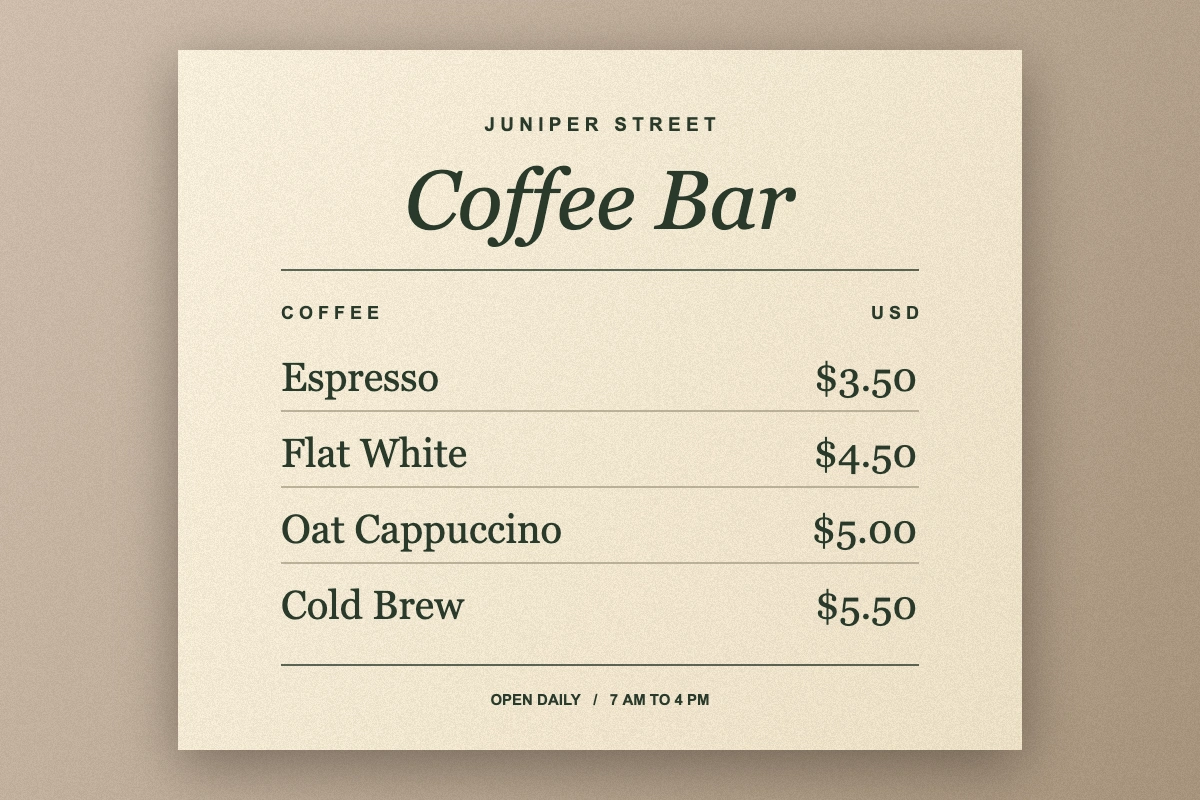
Keep the price column on its baseline
Draw one box per price. Use right alignment for a price column and check that currency symbols and decimal points match the original design.
Use the right background repair
Try Solid on a flat menu, Linear gradient on a softly lit sign, or Median edge blend on lightly textured paper. Leave a few extra pixels around the letters for feathering.
What are you editing?
Open a sample with a text region ready to change.
Frequently asked questions
How do I edit text in an image with the same font?
Open your image and draw a box around the lettering. SameFont samples the ink and the surrounding pixels. Enter the replacement, choose a matching font, and adjust weight, size, and spacing. If you have the exact font file, you can load it on a Creator or Agency plan.
Can SameFont identify the exact original font?
SameFont samples the ink color and estimates text size. You choose the closest font archetype and fine-tune it visually. An original font file gives you the closest match when you know which family was used.
Can I edit more than one line in the same image?
Yes. Add a separate region for each area you want to change. Every region keeps its own text, typography, background patch, and alignment.
What can I download?
The free preview is a PNG with a diagonal watermark. A clean export unlocks full-resolution PNG, a 300 PPI PDF, and JSON or CSV variant specifications. Agency plans support multiple locale variants from the same layout.
Where are my images and fonts processed?
Editing and preview rendering happen in your browser. Single Image Pack PNG and PDF exports send the original file and edit settings so the server can verify and render that image. Subscription exports send the rendered image. Font files stay in your browser.